

What Is an IPTV EPG? A Simple Guide to Electronic Program Guides
An EPG is the on-screen television guide that connects channel names with schedules, programme titles, times and sometimes descriptions. It helps you understand what is playing now and what is coming next without opening channels one by one.
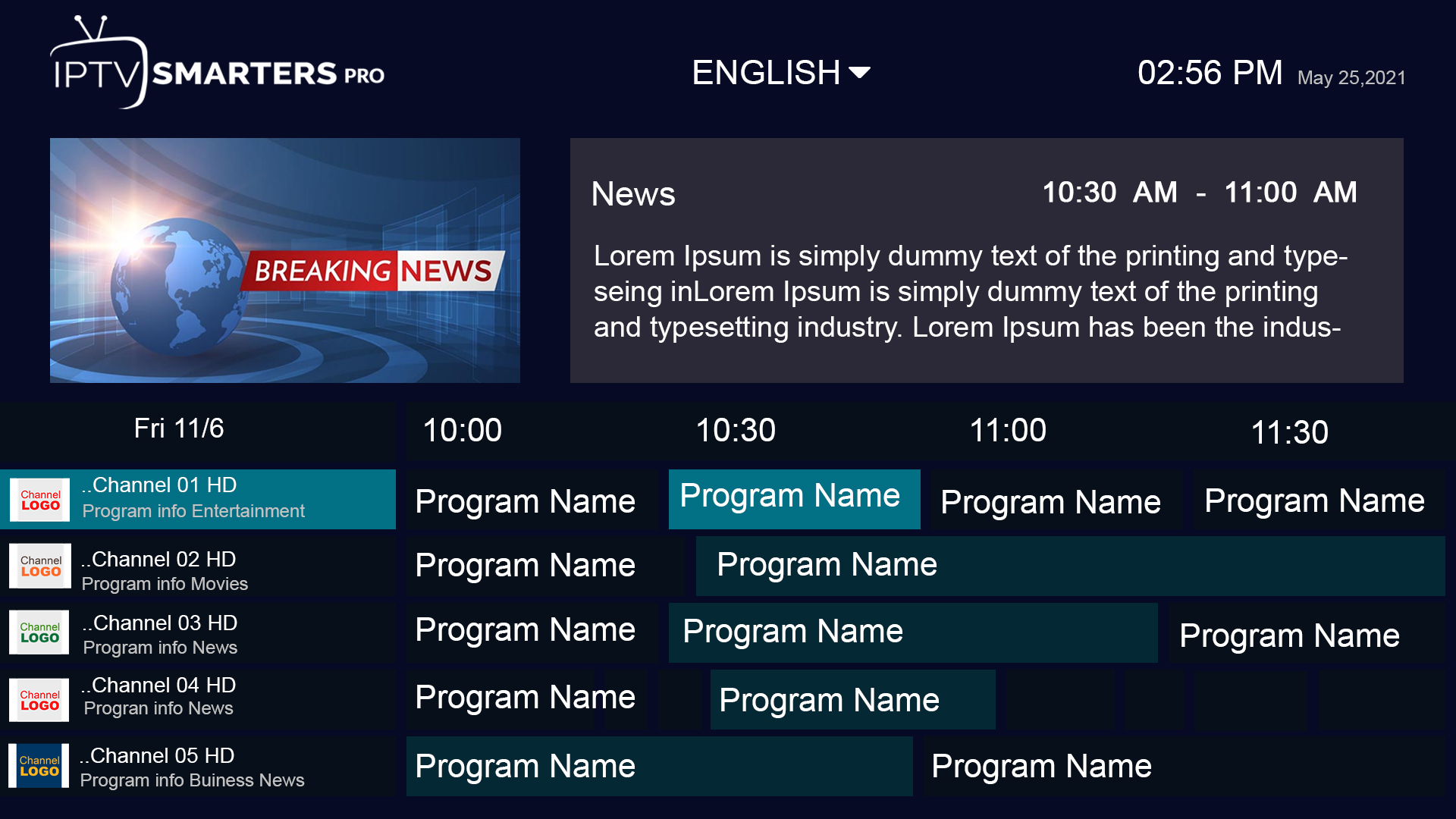
EPG stands for Electronic Program Guide. In an IPTV player it is the schedule layer that shows what is on each channel and when. The guide data is separate from the video stream itself, so channels can play normally even when the EPG is empty, delayed or mapped to the wrong channel.
| EPG element | What it tells you |
|---|---|
| Channel | The station the schedule belongs to. |
| Start/end time | When a programme is expected to begin and finish. |
| Title | The programme, match, movie or show name. |
| Description | Optional summary, episode or event information. |
| Current/next | A quick view of what is airing now and what follows. |
How does an IPTV EPG work?
The player receives schedule information and maps it to the channel list. When the mapping is correct, the interface can show a grid or “now/next” view without changing channel. Different players store and refresh that data in different ways.
EPG data may come from the service backend, an internet guide source or a format such as XMLTV. Kodi’s PVR documentation, for example, describes EPG data arriving through broadcast information, internet-based guide services or XMLTV-style sources.
Is the EPG part of the video stream?
No. The schedule and the live video are separate pieces of information. This distinction explains why you can have one without the other.
- A channel can play even if its guide is blank.
- An EPG can display a programme title even while that particular stream is temporarily unavailable.
- An incorrect mapping can show the schedule for the wrong station.
- A time-zone mismatch can make every programme appear one or two hours early or late.
What is XMLTV?
XMLTV is a mature XML-based format used to store television listings. The XMLTV project describes tools for obtaining, generating and processing TV listings, with the guide format defined by its XMLTV data structure. Many TV/PVR systems can consume schedule information in this kind of format.
You do not normally need to edit XMLTV files yourself. For most end users, the important point is that EPG data can be a separate feed that the player periodically downloads and matches to channels.
Why can an IPTV EPG be missing or outdated?
There is no single cause. Common possibilities include:
- the player has not refreshed guide data yet;
- the EPG source is temporarily unavailable;
- the channel identifier does not match the guide identifier;
- the player’s cached guide database is stale;
- the device clock or time-zone setting is wrong;
- some channels simply do not have guide data available;
- the app imported the playlist but not the EPG source.
Send us the device and player name. That information makes EPG troubleshooting much faster.
What should you check when the EPG is not loading?
- Wait for the initial sync. Large guide datasets can take longer than the channel list.
- Refresh the EPG inside the player. Look for refresh/update guide data rather than resetting the entire app immediately.
- Check device time and time zone. Wrong system time can make correct data look wrong.
- Confirm the EPG source is attached. Some players require the guide source to be added separately.
- Clear only the guide cache if the app provides that option. Avoid wiping all app data until simpler steps fail.
- Compare another device or player. If the guide works elsewhere with the same account, the issue is likely local to that player/device.
Frequently asked questions
Does EPG mean the same thing as the channel list?
No. The channel list tells the player which channels exist. The EPG adds schedule information to those channels.
Why is my EPG one hour behind?
Check the device time zone and any EPG offset option in the player. A guide can be correct while the player displays it with the wrong offset.
Does every IPTV channel have an EPG?
No. Coverage varies by channel, region, guide source and provider mapping.
Can I refresh only the EPG?
Many players provide a guide refresh or clear-EPG-cache option. The exact menu depends on the app.
Sources
- XMLTV project — television listings format and tools
- Official Kodi Wiki — PVR and EPG overview
- Official Kodi Wiki — EPG database structure